# Zilog Z80 CPU Emulator [![Documentation](https://zxe.io/software/Z80/assets/images/documentation-badge.svg)](https://zxe.io/software/Z80/documentation/latest) [![](https://github.com/redcode/Z80/actions/workflows/build-and-test-library.yml/badge.svg)](https://github.com/redcode/Z80/actions/workflows/build-and-test-library.yml) [![](https://github.com/redcode/Z80/actions/workflows/build-documentation.yml/badge.svg)](https://github.com/redcode/Z80/actions/workflows/build-documentation.yml) [![](https://github.com/redcode/Z80/actions/workflows/step-tests.yml/badge.svg)](https://github.com/redcode/Z80/actions/workflows/step-tests.yml) [![Chat](https://zxe.io/software/Z80/assets/images/chat-badge.svg)](https://zxe.io/software/Z80/chat) ![](https://zxe.io/software/Z80/assets/images/mentioned-in-awesome-badge.svg) ## Introduction The [Z80 library](https://zxe.io/software/Z80) implements a fast, small and accurate [emulator](https://en.wikipedia.org/wiki/Emulator) of the [Zilog Z80](https://en.wikipedia.org/wiki/Zilog_Z80). It emulates all that is known to date about this CPU, including the undocumented behaviors, [MEMPTR](https://zxpress.ru/zxnet/zxnet.pc/5909), [Q](https://worldofspectrum.org/forums/discussion/41704) and the [special RESET](http://www.primrosebank.net/computers/z80/z80_special_reset.htm). It also has the honor of having been the first open-source project to provide full emulation of the interrupt mode 0. The source code is written in [ANSI C](https://en.wikipedia.org/wiki/ANSI_C) for maximum portability and is extensively commented. The aim has been to write a well-structured, easy-to-understand piece of software; something solid and elegant that can [stand the test of time](https://web.archive.org/web/20231101002815/https://josem.co/the-beauty-of-finished-software/) with no need for major changes. ## Accuracy This Z80 CPU emulator has a classic design with instruction-level granularity that delivers high performance, whilst offering reasonable flexibility to achieve [precision down to the T-state level](https://github.com/agaxia/Z80InsnClock). Instruction-level granularity implies that, except in a few well-defined cases, the execution of a given instruction cannot stop until all its internal M-cycles have been processed (i.e., instructions are not divided into micro-operations). Moreover, registers are modified only once per instruction and the [T-state counter](https://zxe.io/software/Z80/documentation/latest/api-reference.html#c.Z80.cycles) is normally updated after a full instruction has been executed. That said, instructions, flags, memory accesses, interrupts, clock cycles, etc., are accurately emulated according to the available [technical documentation](https://github.com/redcode/Z80/wiki/Technical-literature), the findings made after decades of research on the Z80 and [electronic simulations](https://github.com/redcode/Z80/wiki/Simulators). And, of course, the emulator passes the most exhaustive [tests](https://github.com/redcode/Z80/wiki/Tests) written to date, including all three major test suites: ### [Zilog Z80 CPU Test Suite](https://github.com/raxoft/z80test), by [Patrik Rak](https://github.com/raxoft) This set of programs is intended to help the emulator authors to reach the desired level of the CPU emulation authenticity. Each of the included programs performs an exhaustive computation using each of the tested Z80 instructions, compares the results with values obtained from a real [Sinclair ZX Spectrum 48K](https://en.wikipedia.org/wiki/ZX_Spectrum) with Zilog Z80 CPU, and reports any deviations detected.
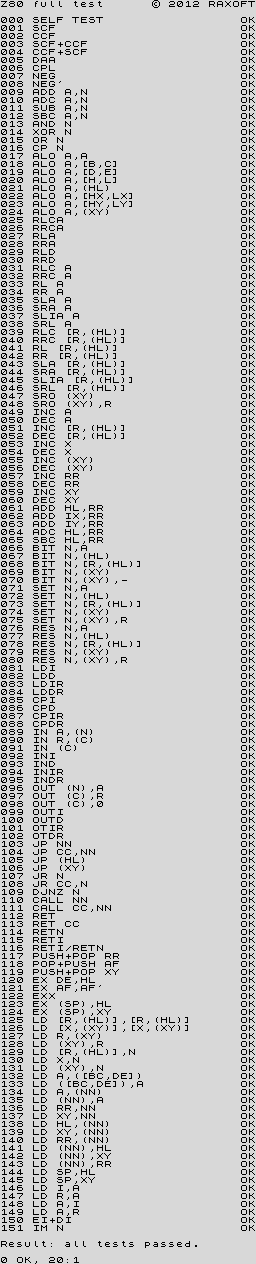
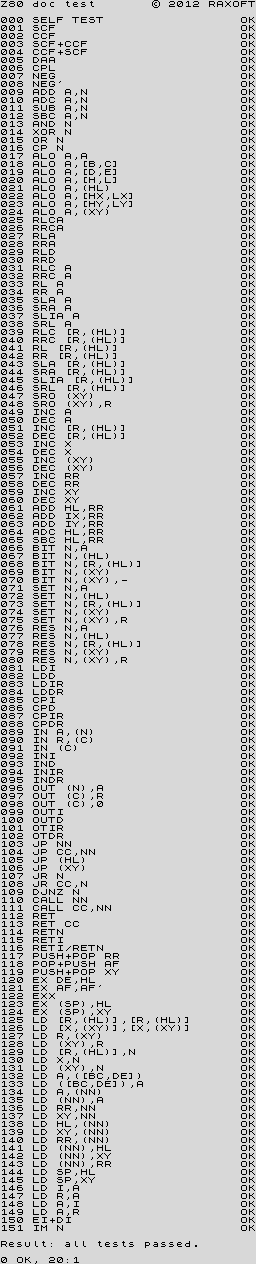
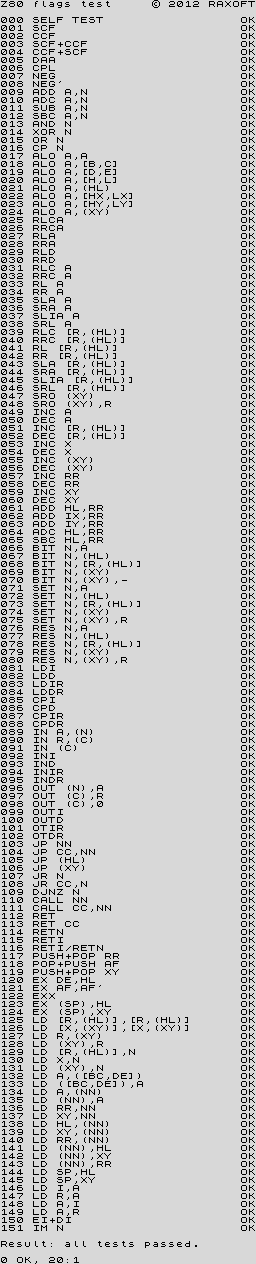
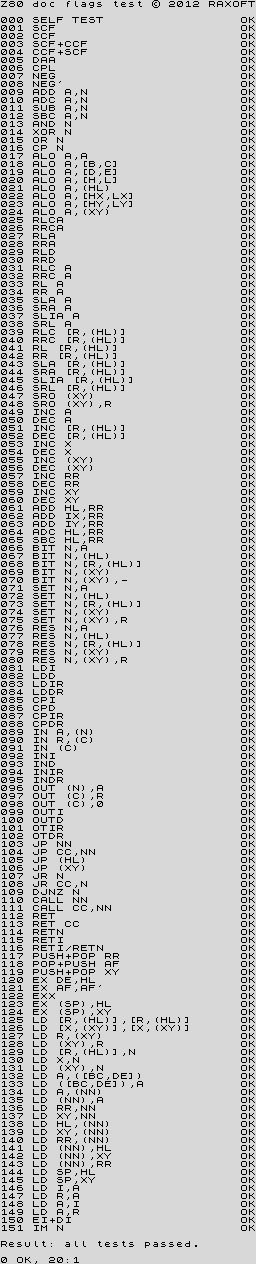
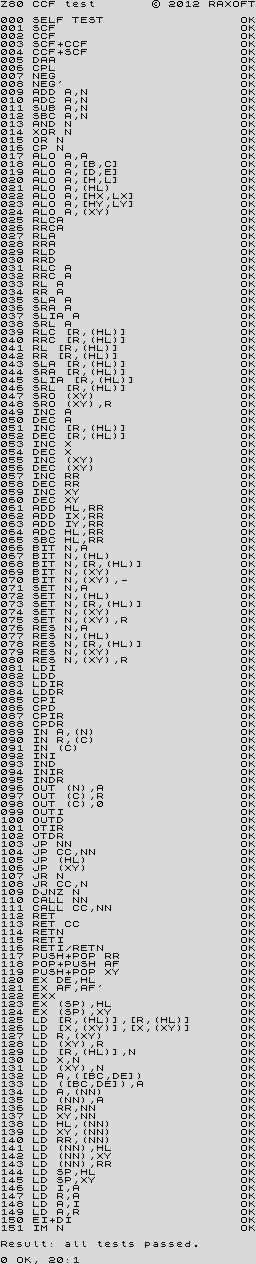
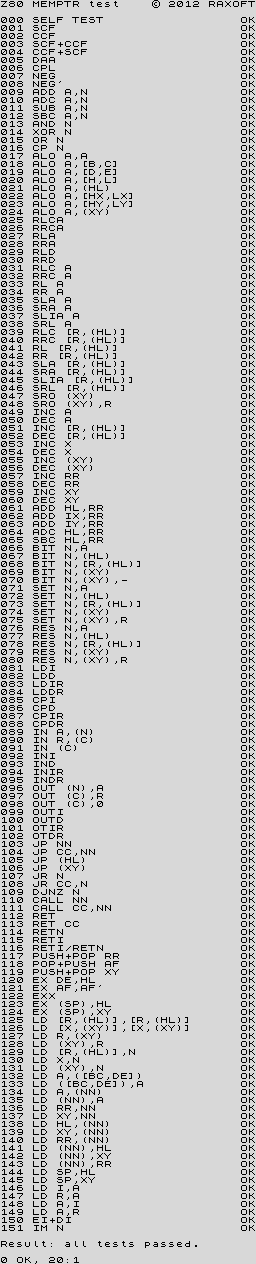
Results (v1.0)

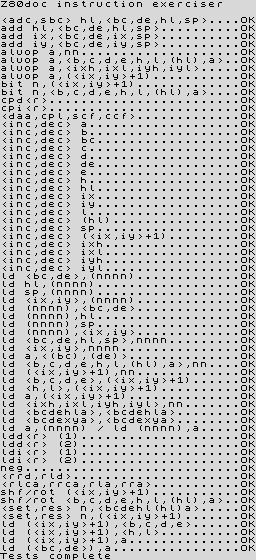
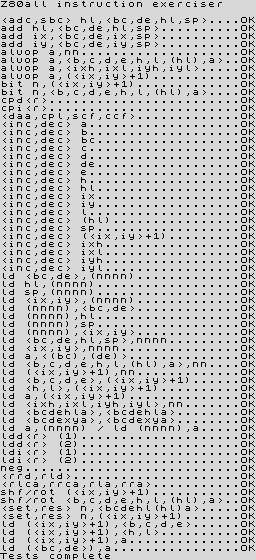
z80full.tap

Tests all flags and registers.

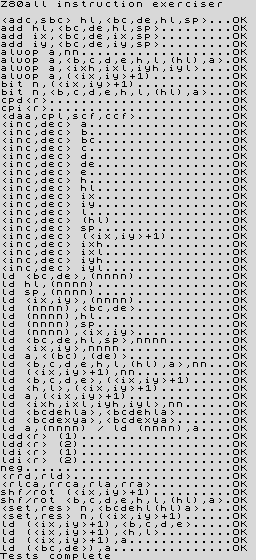
z80doc.tap

Tests all registers, but only officially documented flags.

z80flags.tap

Tests all flags, ignores registers.

z80docflags.tap

Tests documented flags only, ignores registers.

z80ccf.tap

Tests all flags after executing ccf after each instruction tested.

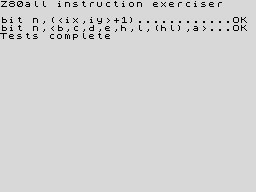
z80memptr.tap

Tests all flags after executing bit N,(hl) after each instruction tested.
Results (v1.2a)

z80full.tap

Tests all flags and registers.

z80doc.tap

Tests all registers, but only officially documented flags.

z80flags.tap

Tests all flags, ignores registers.

z80docflags.tap

Tests documented flags only, ignores registers.

z80ccf.tap

Tests all flags after executing ccf after each instruction tested.

z80memptr.tap

Tests all flags after executing bit N,(hl) after each instruction tested.
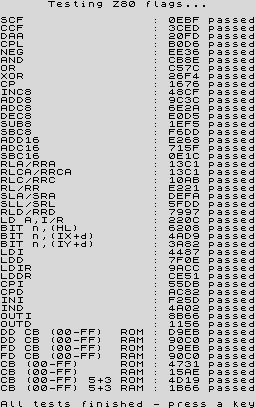
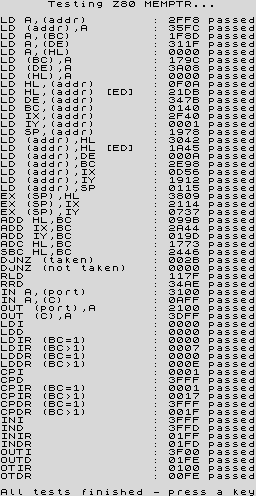
### Z80 Test Suite, by Mark Woodmass This suite performs a series of tests to verify the MEMPTR documents _([English](https://zx-pk.ru/attachment.php?attachmentid=2989), [Russian](https://zx-pk.ru/attachment.php?attachmentid=2984))_, which are spot on, as well as a brief run through several of the `CBh/DDh/FDh` opcode ranges. The test results in the program are compared against those from a [NEC D780C-1](https://www.cpu-world.com/CPUs/Z80/NEC-D780C-1.html) CPU, but Simon Conway kindly tested several other Z80 clones, confirming the same results.
Results

z80tests.tap
### Z80 Instruction Set Exerciser, by Frank D. Cringle Frank Cringle's _Z80 Instruction Set Exerciser_ attempts to execute every Z80 opcode, putting them through a cycle of tests and comparing the results to actual results from running the code on a real Z80. The exerciser is supplied with Frank's [Yaze](ftp://ftp.ping.de/pub/misc/emulators/yaze-1.10.tar.gz) (Yet Another Z80 Emulator). It is often difficult to track down, so [Jonathan Graham Harston](https://mdfs.net/User/JGH) put it together [here](https://mdfs.net/Software/Z80/Exerciser), as well as [some conversions](https://mdfs.net/Software/Z80/Exerciser/Spectrum). The latest release of Yaze is available at [Andreas Gerlich's website](https://www.mathematik.uni-ulm.de/users/ag/yaze-ag).
Results (Jonathan Graham Harston's version)

zexdoc.tap

Tests officially documented flag effects.

zexall.tap

Tests all flag changes.
Results (Jan Bobrowski's version)

zexfix.tap

Tests all flag changes.

zexbit.tap

Tests all flag changes of the bit instructions.
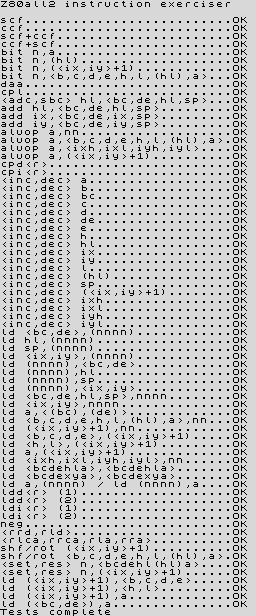
Results (Patrik Rak's version)

zexall2.tap
## Installation The Z80 library is available through various package managers. For an up-to-date list and installation instructions, see the "[Installation](https://github.com/redcode/Z80/wiki/Installation)" page on the repository wiki. ## Installation from source code ### Prerequisites You will need [CMake](https://cmake.org) v3.14 or later to build the package and, optionally, recent versions of [Doxygen](https://www.doxygen.nl), [Sphinx](https://www.sphinx-doc.org) and [Breathe](https://www.breathe-doc.org) to compile the documentation. Also, make sure that you have [LaTeX](https://www.latex-project.org) with PDF support installed on your system if you want to generate the documentation in PDF format. The Z80 library requires some types and macros included in [Zeta](https://zxe.io/software/Zeta), a [header-only](https://en.wikipedia.org/wiki/Header-only), dependency-free library used for portability reasons. Install Zeta or extract its [source code tarball](https://zxe.io/software/Zeta/download) to the root directory of the Z80 project or its parent directory. Zeta is the sole dependency; the emulator does not depend on the [C standard library](https://en.wikipedia.org/wiki/C_standard_library). Lastly, the package includes two testing tools, which are optional to build. The first one runs various Z80-specific tests for [CP/M](https://en.wikipedia.org/wiki/CP/M) and [ZX Spectrum](https://en.wikipedia.org/wiki/ZX_Spectrum), and will use [libzip](https://libzip.org) and [zlib](https://zlib.net) if they are available on your system. The second tool is for [unit tests in JSON format](https://github.com/SingleStepTests/z80) and requires the [cJSON](https://github.com/DaveGamble/cJSON) and [Z80InsnClock](https://zxe.io/software/Z80InsnClock) libraries. ### Configure Once the prerequisites are met, create a directory and run `cmake` from there to prepare the build system: ```shell mkdir build cd build cmake [options] ``` The resulting build files can be configured by passing options to `cmake`. To show a complete list of those available along with their current settings, type the following: ```shell cmake -LAH -N -B . ``` If in doubt, read the [CMake documentation](https://cmake.org/documentation/) for more information on configuration options. The following are some of the most relevant standard options of CMake: * **-D[BUILD_SHARED_LIBS](https://cmake.org/cmake/help/latest/variable/BUILD_SHARED_LIBS.html)=(YES|NO)** Generate shared libraries rather than static libraries. The default is `NO`. * **-D[CMAKE_BUILD_TYPE](https://cmake.org/cmake/help/latest/variable/CMAKE_BUILD_TYPE.html)=(Debug|Release|RelWithDebInfo|MinSizeRel)** Choose the type of build (configuration) to generate. The default is `Release`. * **-D[CMAKE_INSTALL_NAME_DIR](https://cmake.org/cmake/help/latest/variable/CMAKE_INSTALL_NAME_DIR.html)="\"** Specify the [directory portion](https://developer.apple.com/documentation/xcode/build-settings-reference#Dynamic-Library-Install-Name-Base) of the [dynamic library install name](https://developer.apple.com/documentation/xcode/build-settings-reference#Dynamic-Library-Install-Name) on Apple platforms (for installed shared libraries). Not defined by default. * **-D[CMAKE_INSTALL_PREFIX](https://cmake.org/cmake/help/latest/variable/CMAKE_INSTALL_PREFIX.html)="\"** Specify the installation prefix. The default is `"/usr/local"` (on [UNIX](https://en.wikipedia.org/wiki/Unix) and [UNIX-like](https://en.wikipedia.org/wiki/Unix-like) operating systems). Package-specific options are prefixed with `Z80_` and can be divided into two groups. The first one controls aspects not related to the source code of the library: * **`-DZ80_DEPOT_LOCATION=""`** Specify the directory or URL of the depot containing the test files (i.e., the firmware and software required by the [`test-Z80`](#running-the-tests) tool). The default is `"http://zxe.io/depot"`. * **`-DZ80_FETCH_TEST_FILES=(YES|NO)`** If [`Z80_WITH_TESTING_TOOL`](#cmake_option_z80_with_testing_tool) is `YES`, copy or download the test files from the depot to the build directory. The default is `NO`. * **`-DZ80_INSTALL_CMAKEDIR=""`** Specify the directory in which to install the CMake [config-file package](https://cmake.org/cmake/help/latest/manual/cmake-packages.7.html#config-file-packages). The default is "${[CMAKE_INSTALL_LIBDIR](https://cmake.org/cmake/help/latest/module/GNUInstallDirs.html)}/cmake/Z80". * **`-DZ80_INSTALL_PKGCONFIGDIR=""`** Specify the directory in which to install the [pkg-config](https://www.freedesktop.org/wiki/Software/pkg-config) [file](https://people.freedesktop.org/~dbn/pkg-config-guide.html). The default is "${[CMAKE_INSTALL_LIBDIR](https://cmake.org/cmake/help/latest/module/GNUInstallDirs.html)}/pkgconfig". * **`-DZ80_NOSTDLIB_FLAGS=(Auto|"[[;...]]")`** Specify the linker flags used to avoid linking against system libraries. The default is `Auto` (autoconfigure flags). If you get linker errors, set this option to `""`. * **`-DZ80_OBJECT_LIBS=(YES|NO)`** Build the emulator as an [object library](https://cmake.org/cmake/help/latest/manual/cmake-buildsystem.7.html#object-libraries). This option takes precedence over [`BUILD_SHARED_LIBS`](#cmake_option_build_shared_libs) and [`Z80_SHARED_LIBS`](#cmake_option_z80_shared_libs). If enabled, the build system will ignore [`Z80_WITH_CMAKE_SUPPORT`](#cmake_option_z80_with_cmake_support) and [`Z80_WITH_PKGCONFIG_SUPPORT`](#cmake_option_z80_with_pkgconfig_support), as no libraries or support files will be installed. The default is `NO`. * **`-DZ80_SHARED_LIBS=(YES|NO)`** Build the emulator as a shared library, rather than static. This option takes precedence over [`BUILD_SHARED_LIBS`](#cmake_option_build_shared_libs). Not defined by default. * **`-DZ80_SPHINX_HTML_THEME="[]"`** Specify the Sphinx theme for the documentation in HTML format. The default is `""` (use the default theme). * **`-DZ80_WITH_CMAKE_SUPPORT=(YES|NO)`** Generate and install the CMake [config-file package](https://cmake.org/cmake/help/latest/manual/cmake-packages.7.html#config-file-packages). The default is `NO`. * **`-DZ80_WITH_HTML_DOCUMENTATION=(YES|NO)`** Build and install the documentation in HTML format. It requires Doxygen, Sphinx and Breathe. The default is `NO`. * **`-DZ80_WITH_PDF_DOCUMENTATION=(YES|NO)`** Build and install the documentation in PDF format. It requires Doxygen, Sphinx, Breathe, and LaTeX with PDF support. The default is `NO`. * **`-DZ80_WITH_PKGCONFIG_SUPPORT=(YES|NO)`** Generate and install the [pkg-config](https://www.freedesktop.org/wiki/Software/pkg-config) [file](https://people.freedesktop.org/~dbn/pkg-config-guide.html). The default is `NO`. * **`-DZ80_WITH_STANDARD_DOCUMENTS=(YES|NO)`** Install the standard text documents distributed with the package: [`AUTHORS`](AUTHORS), [`COPYING`](COPYING), [`COPYING.LESSER`](COPYING.LESSER), [`HISTORY`](HISTORY), [`README`](README) and [`THANKS`](THANKS). The default is `NO`. * **`-DZ80_WITH_STEP_TESTING_TOOL=(YES|NO)`** Build `step-test-Z80`, a tool for [unit tests in JSON format](https://github.com/SingleStepTests/z80). It requires cJSON and Z80InsnClock. The default is `NO`. * **`-DZ80_WITH_TESTING_TOOL=(YES|NO)`** Build `test-Z80`, a tool that runs various Z80-specific tests for [CP/M](https://en.wikipedia.org/wiki/CP/M) and [ZX Spectrum](https://en.wikipedia.org/wiki/ZX_Spectrum). The default is `NO`. The second group of package-specific options configures the source code of the library by predefining macros that enable [optional features](https://zxe.io/software/Z80/documentation/latest/introduction.html#optional-features): * **`-DZ80_WITH_EXECUTE=(YES|NO)`** Build the implementation of the [`z80_execute`](https://zxe.io/software/Z80/documentation/latest/api-reference.html#c.z80_execute) function. The default is `NO`. * **`-DZ80_WITH_FULL_IM0=(YES|NO)`** Build the full implementation of the interrupt mode 0 rather than the reduced one. The default is `NO`. * **`-DZ80_WITH_IM0_RETX_NOTIFICATIONS=(YES|NO)`** Enable optional notifications for any `reti` or `retn` instruction executed during the interrupt mode 0 response. The default is `NO`. * **`-DZ80_WITH_PARITY_COMPUTATION=(YES|NO)`** Enable actual parity calculation for the P/V flag instead of using a table of precomputed values (NOT RECOMMENDED for production builds). The default is `NO`. * **`-DZ80_WITH_PRECOMPUTED_DAA=(YES|NO)`** Use a table of precomputed values to emulate the `daa` instruction (NOT RECOMMENDED for production builds). The default is `NO`. * **`-DZ80_WITH_Q=(YES|NO)`** Build the implementation of [Q](https://worldofspectrum.org/forums/discussion/41704). The default is `NO`. * **`-DZ80_WITH_SPECIAL_RESET=(YES|NO)`** Build the implementation of the [special RESET](http://www.primrosebank.net/computers/z80/z80_special_reset.htm). The default is `NO`. * **`-DZ80_WITH_UNOFFICIAL_RETI=(YES|NO)`** Configure the undocumented instructions `ED5Dh`, `ED6Dh` and `ED7Dh` as `reti` instead of `retn`. The default is `NO`. * **`-DZ80_WITH_ZILOG_NMOS_LD_A_IR_BUG=(YES|NO)`** Build the implementation of the bug affecting the Zilog Z80 NMOS, which causes the P/V flag to be reset when a maskable interrupt is accepted during the execution of the ld a,{i|r} instructions. The default is `NO`. Package maintainers are encouraged to use at least the following options for the shared library: ``` -DZ80_WITH_EXECUTE=YES -DZ80_WITH_FULL_IM0=YES -DZ80_WITH_IM0_RETX_NOTIFICATIONS=YES -DZ80_WITH_Q=YES -DZ80_WITH_ZILOG_NMOS_LD_A_IR_BUG=YES ``` ### Build and install Finally, once the build system is configured according to your needs, build and install the package: ```shell cmake --build . [--config (Debug|Release|RelWithDebInfo|MinSizeRel)] cmake --install . [--config ] [--strip] ``` The [`--config`](https://cmake.org/cmake/help/latest/manual/cmake.1.html#cmdoption-cmake-build-config) option is only necessary for those [CMake generators](https://cmake.org/cmake/help/latest/manual/cmake-generators.7.html) that ignore [`CMAKE_BUILD_TYPE`](#cmake_option_cmake_build_type) (e.g., Xcode and Visual Studio). Use [`--strip`](https://cmake.org/cmake/help/latest/manual/cmake.1.html#cmdoption-cmake-install-strip) to remove debugging information and non-public symbols when installing non-debug builds of the shared library. ### TL;DR Use the following to build the emulator as a shared library and install it along with the development files into `$HOME/.local`: ```shell mkdir work && cd work git clone https://github.com/redcode/Zeta.git git clone https://github.com/redcode/Z80.git cd Zeta mkdir build && cd build cmake \ -DCMAKE_BUILD_TYPE=Release \ -DCMAKE_INSTALL_PREFIX="$HOME/.local" \ -DZeta_WITH_CMAKE_SUPPORT=YES \ -DZeta_WITH_PKGCONFIG_SUPPORT=YES \ .. cmake --install . --config Release cd ../../Z80 mkdir build && cd build cmake \ -DBUILD_SHARED_LIBS=YES \ -DCMAKE_BUILD_TYPE=Release \ -DCMAKE_INSTALL_NAME_DIR="$HOME/.local/lib" \ -DCMAKE_INSTALL_PREFIX="$HOME/.local" \ -DZ80_WITH_CMAKE_SUPPORT=YES \ -DZ80_WITH_PKGCONFIG_SUPPORT=YES \ -DZ80_WITH_EXECUTE=YES \ -DZ80_WITH_FULL_IM0=YES \ -DZ80_WITH_IM0_RETX_NOTIFICATIONS=YES \ -DZ80_WITH_Q=YES \ -DZ80_WITH_ZILOG_NMOS_LD_A_IR_BUG=YES \ .. cmake --build . --config Release cmake --install . --config Release --strip ``` **[ build-and-install-Z80.sh](https://zxe.io/software/Z80/scripts/build-and-install-Z80.sh)** ## Running the tests The package includes a tool called [`test-Z80`](sources/test-Z80.c) that runs the most relevant [CP/M](https://en.wikipedia.org/wiki/CP/M) and [ZX Spectrum](https://en.wikipedia.org/wiki/ZX_Spectrum) versions of the [major test suites](#major_test_suites). Configure the build system with -D[Z80_WITH_TESTING_TOOL](#cmake_option_z80_with_testing_tool)=YES to enable its compilation and -D[Z80_FETCH_TEST_FILES](#cmake_option_z80_fetch_test_files)=YES to download the firmware and software required. Also note that the Z80 library must be built with -D[Z80_WITH_Q](#cmake_option_z80_with_q)=YES to be able to pass [Patrik Rak's tests](#zilog-z80-cpu-test-suite-by-patrik-rak). Once you have built the package, type the following to run all tests: ```shell ./test-Z80 -p depot/firmware -p depot/software/POSIX -p "depot/software/ZX Spectrum" -a ``` The tool supports options and can run the tests individually (type ./test-Z80 -h for help). If you prefer to run all tests through [CTest](https://cmake.org/cmake/help/latest/manual/ctest.1.html), use this: ```shell ctest -N # List available tests ctest --verbose --build-config (Debug|Release|RelWithDebInfo|MinSizeRel) [-I ,] ``` By default, if the build system has been configured with -D[Z80_WITH_EXECUTE](#cmake_option_z80_with_execute)=YES, CTest will run the tests twice to increase coverage. Using [`-I`](https://cmake.org/cmake/help/latest/manual/ctest.1.html#cmdoption-ctest-I) allows you to run only the test corresponding to the specified index. ### TL;DR Use the following to build and test the emulator: ```shell mkdir work && cd work git clone https://github.com/redcode/Zeta.git git clone https://github.com/redcode/Z80.git cd Z80 mkdir build && cd build cmake \ -DCMAKE_BUILD_TYPE=Release \ -DZ80_FETCH_TEST_FILES=YES \ -DZ80_WITH_TESTING_TOOL=YES \ -DZ80_WITH_EXECUTE=YES \ -DZ80_WITH_FULL_IM0=YES \ -DZ80_WITH_IM0_RETX_NOTIFICATIONS=YES \ -DZ80_WITH_Q=YES \ -DZ80_WITH_ZILOG_NMOS_LD_A_IR_BUG=YES \ .. cmake --build . --config Release ctest --verbose --build-config Release ``` **[ build-and-test-Z80.sh](https://zxe.io/software/Z80/scripts/build-and-test-Z80.sh)    [ build-and-test-Z80.bat](https://zxe.io/software/Z80/scripts/build-and-test-Z80.bat)** ### Results The complete logs generated by `test-Z80` emulating different CPU variants are available here: * [Zilog NMOS](https://zxe.io/software/Z80/tests/logs/test-Z80%20v0.2%20Results%20-%20Zilog%20NMOS.txt) * [Zilog CMOS](https://zxe.io/software/Z80/tests/logs/test-Z80%20v0.2%20Results%20-%20Zilog%20CMOS.txt) * [NEC NMOS](https://zxe.io/software/Z80/tests/logs/test-Z80%20v0.2%20Results%20-%20NEC%20NMOS.txt) * [ST CMOS](https://zxe.io/software/Z80/tests/logs/test-Z80%20v0.2%20Results%20-%20ST%20CMOS.txt) > [!IMPORTANT] > The CRC errors in the logs of the NEC NMOS variant **are normal** and match the [values obtained on real hardware](https://jisanchez.com/test-a-dos-placas-de-zx-spectrum). The ST CMOS variant is currently [under investigation](https://github.com/redcode/Z80_XCF_Flavor/issues/2). ## Integration ### As an external dependency in CMake-based projects The Z80 library [includes](#cmake_option_z80_with_cmake_support) a [config-file package](https://cmake.org/cmake/help/latest/manual/cmake-packages.7.html#config-file-packages) for integration into CMake-based projects that must be installed for development. Use [`find_package`](https://cmake.org/cmake/help/latest/command/find_package.html) to find the `Z80` package. This creates the `Z80` imported library target, which carries the necessary transitive link dependencies. Optionally, the linking method can be selected by specifying either the `Shared` or `Static` component. Example: ```cmake find_package(Z80 REQUIRED Shared) target_link_libraries(your-target Z80) ``` When not specified as a component, the linking method is selected according to [`Z80_SHARED_LIBS`](#cmake_option_z80_shared_libs). If this option is not defined, the config-file uses the type of library that is installed on the system and, if it finds both the shared and the static versions, [`BUILD_SHARED_LIBS`](#cmake_option_build_shared_libs) determines which one to link against. ### As a CMake subproject To embed the Z80 library as a CMake subproject, extract the source code tarballs of [Zeta](https://zxe.io/software/Zeta/download) and [Z80](https://zxe.io/software/Z80/download) (or clone their respective repositories) into a subdirectory of another project. Then use [`add_subdirectory`](https://cmake.org/cmake/help/latest/command/add_subdirectory.html) in the parent project to add the Z80 source code tree to the build process (N.B., the Z80 subproject will automatically find Zeta and import it as an [interface library](https://cmake.org/cmake/help/latest/manual/cmake-buildsystem.7.html#interface-libraries)). It is advisable to configure the Z80 library in the `CMakeLists.txt` of the parent project. This will eliminate the need for the user to specify [configuration options for the Z80 subproject](#cmake_package_options) through the command line when building the main project. Example: ```cmake set(Z80_SHARED_LIBS NO CACHE BOOL "") set(Z80_WITH_Q YES CACHE BOOL "") set(Z80_WITH_ZILOG_NMOS_LD_A_IR_BUG YES CACHE BOOL "") add_subdirectory(dependencies/Z80) target_link_libraries(your-target Z80) ``` It is important to set the [`Z80_SHARED_LIBS`](#cmake_option_z80_shared_libs) option. Otherwise, CMake will build the library type indicated by [`BUILD_SHARED_LIBS`](#cmake_option_build_shared_libs), which may not be the desired one. ### Non-CMake-based projects The source code of the emulator can be configured at compile time by predefining a series of macros. Both [`Z80.h`](API/Z80.h) and [`Z80.c`](sources/Z80.c) obey the first two explained below. The rest of the macros are only relevant when compiling `Z80.c`: * **`#define Z80_EXTERNAL_HEADER "header-name.h"`** Specifies the only external header to `#include`, replacing all others. Predefine this macro to provide a header file that defines the external types and macros used by the emulator, thus preventing your project from depending on [Zeta](https://zxe.io/software/Zeta). You can use this when compiling `Z80.c` within your project or (if your types do not break the binary compatibility) when including `` and linking against a pre-built Z80 library. * **`#define Z80_STATIC`** Indicates that the emulator is a static library. This macro must be predefined when building `Z80.c` as a static library. Additionally, if you compile `Z80.c` directly within your project or link your program against the static version of the Z80 library, ensure that this macro is defined before including `"Z80.h"` or ``. * **`#define Z80_WITH_LOCAL_HEADER`** Tells `Z80.c` to #include "Z80.h" instead of ``. The optional features of the emulator mentioned in the "[Configure](#configure)" section of "[Installation from source code](#installation-from-source-code)" are disabled by default. If you compile `Z80.c` within your project, enable those features you need by predefining their respective activation macros. They have the same name as their [CMake equivalents](#cmake_package_source_code_options): * **#define [Z80_WITH_EXECUTE](#cmake_option_z80_with_execute)** * **#define [Z80_WITH_FULL_IM0](#cmake_option_z80_with_full_im0)** * **#define [Z80_WITH_IM0_RETX_NOTIFICATIONS](#cmake_option_z80_with_im0_retx_notifications)** * **#define [Z80_WITH_PARITY_COMPUTATION](#cmake_option_z80_with_parity_computation)** * **#define [Z80_WITH_PRECOMPUTED_DAA](#cmake_option_z80_with_precomputed_daa)** * **#define [Z80_WITH_Q](#cmake_option_z80_with_q)** * **#define [Z80_WITH_SPECIAL_RESET](#cmake_option_z80_with_special_reset)** * **#define [Z80_WITH_UNOFFICIAL_RETI](#cmake_option_z80_with_unofficial_reti)** * **#define [Z80_WITH_ZILOG_NMOS_LD_A_IR_BUG](#cmake_option_z80_with_zilog_nmos_ld_a_ir_bug)** Except for [`Z80_EXTERNAL_HEADER`](#macro_z80_external_header), the above macros can be empty; the source code only checks whether they are defined. > [!IMPORTANT] > The activation of some of the optional features affects the speed of the emulator due to various factors (read the [documentation](https://zxe.io/software/Z80/documentation/latest/introduction.html#optional-features) for more details). ## Showcase This emulator has been used by the following projects (listed in alphabetical order): * **[Augmentinel](https://simonowen.com/spectrum/augmentinel/)** _by [Simon Owen](https://simonowen.com)_ ⟩ [GitHub](https://github.com/simonowen/augmentinel) * **ceda-cemu** _by [Retrofficina GLG Programs](https://retrofficina.glgprograms.it)_ ⟩ [GitHub](https://github.com/GLGPrograms/ceda-cemu) * **CPM-Emulator** _by [Marc Sibert](https://github.com/Marcussacapuces91)_ ⟩ [GitHub](https://github.com/Marcussacapuces91/CPM-Emulator) * **f80** _by [Richard J. Prinz](https://www.min.at/prinz)_ ⟩ [GitHub](https://github.com/rprinz08/f80) * **[Google Capture the Flag (2021)](https://capturetheflag.withgoogle.com)** _by [Google](https://www.google.com)_ ⟩ [GitHub](https://github.com/google/google-ctf) * **[King of the Grid](https://kingofthegrid.com)** _by [Alex Siryi](https://github.com/desertkun)_ ⟩ [GitHub](https://github.com/kingofthegrid/king-of-the-grid) * **MSX1 Emulator for Raspberry Pi Pico** _by [shippoiincho](https://github.com/shippoiincho)_ ⟩ [GitHub](https://github.com/shippoiincho/msxemulator) * **MZ-1500 Emulator for Raspberry Pi Pico** _by [shippoiincho](https://github.com/shippoiincho)_ ⟩ [GitHub](https://github.com/shippoiincho/mz1500emulator) * **MZ-2000/80B Emulator for Raspberry Pi Pico** _by [shippoiincho](https://github.com/shippoiincho)_ ⟩ [GitHub](https://github.com/shippoiincho/mz2000emulator) * **PASOPIA/PASOPIA 7 Emulator for Raspberry Pi Pico** _by [shippoiincho](https://github.com/shippoiincho)_ ⟩ [GitHub](https://github.com/shippoiincho/pasopiaemulator) * **PC-6001mkII Emulator for Raspberry Pi Pico** _by [shippoiincho](https://github.com/shippoiincho)_ ⟩ [GitHub](https://github.com/shippoiincho/p6mk2emulator) * **pico-sorcerer-2** _by [fruit-bat](https://github.com/fruit-bat)_ ⟩ [GitHub](https://github.com/fruit-bat/pico-sorcerer-2) * **pico-zxspectrum** _by [fruit-bat](https://github.com/fruit-bat)_ ⟩ [GitHub](https://github.com/fruit-bat/pico-zxspectrum) * **[picoZ80](https://eaw.app/picoz80)** _by [Philip Smart](https://eaw.app/contact)_ * **RadZ80** _by [RadAd](https://github.com/RadAd)_ ⟩ [GitHub](https://github.com/RadAd/RadZ80) * **SEGA SC-3000 Emulator for Raspberry Pi Pico** _by [shippoiincho](https://github.com/shippoiincho)_ ⟩ [GitHub](https://github.com/shippoiincho/sc3000emulator) * **[SpeccyP](https://t.me/c/ZX_MURMULATOR/241406)** _by [Constantin](https://github.com/billgilbert7000)_ ⟩ [GitHub](https://github.com/billgilbert7000/SpeccyP) * **[The Second-Worst ZX Spectrum Emulator in the World](https://fuzzix.org/building-the-secondworst-zx-spectrum-emulator-in-the-world-with-perl)** _by [John Barrett](https://fuzzix.org/about)_ ⟩ [GitHub Gist](https://gist.github.com/jbarrett/1dbcbd92d08af2f089bf6baff5cf065b) * **[tihle](https://www.taricorp.net/2020/introducing-tihle/)** _by [Peter Marheine](https://www.taricorp.net/about/)_ ⟩ [GitHub](https://github.com/tari/tihle) · [GitLab](https://gitlab.com/taricorp/tihle) * **[TileMap](https://simonowen.com/spectrum/tilemap/)** _by [Simon Owen](https://simonowen.com/)_ ⟩ [GitHub](https://github.com/simonowen/tilemap) * **tranZPUterFusionX** _by [Philip Smart](https://eaw.app/contact)_ * **Zemu** _by [Jay Valentine](https://jayvalentine.github.io/)_ ⟩ [GitHub](https://github.com/jayvalentine/zemu) · [RubyGems](https://rubygems.org/gems/zemu) ## Thanks Many thanks to the following individuals (in alphabetical order): * **Akimov, Vadim (lvd)** * For testing the library on many different platforms and CPU architectures. * **Anisimov, Alexey (SoftLight)** * For testing the `ccf/scf` instructions on real hardware. [1](#r_1) * **azesmbog** :trophy: 1. For validating tests on real hardware. [2.1](#r_2_1) 2. For discovering the unstable behavior of the `ccf/scf` instructions. 3. For testing the `ccf/scf` instructions on real hardware. [1](#r_1), [3](#r_3) 4. For his invaluable help. * **Banks, David (hoglet)** :trophy: 1. For deciphering the additional flag changes of the block instructions. [4.1](#r_4_1), [4.2](#r_4_2), [5](#r_5) 2. For his research on the `ccf/scf` instructions. [5](#r_5), [6](#r_6) * **Beliansky, Anatoly (Tolik_Trek)** * For validating tests on real hardware. [2.2](#r_2_2) * **Bobrowski, Jan** * For fixing _"Z80 Full Instruction Set Exerciser for Spectrum"_. [7](#r_7) * **boo_boo** :trophy: * For deciphering the behavior of MEMPTR. [8](#r_8), [9](#r_9), [10](#r_10), [11](#r_11) * **Brady, Stuart** * For his research on the `ccf/scf` instructions. [12](#r_12) * **Brewer, Tony** :trophy: 1. For his research on the special RESET. [4.3](#r_4_3), [13](#r_13) 2. For helping to decipher the additional flag changes of the block instructions. [4](#r_4) 3. For conducting low-level tests on real hardware. [4](#r_4) 4. For helping me to test different undocumented behaviors of the Zilog Z80. 5. For discovering that the `DD/FD` prefixes affect the behavior of the `ccf/scf` instructions. [4.4](#r_4_4) * **Bystrov, Dmitry (Alone Coder)** * For validating tests on real hardware. [2.2](#r_2_2) * **Chaikin, Mikhail (P321)** * For testing the `ccf/scf` instructions on real hardware. [1](#r_1) * **Chandler, Richard** 1. For his corrections to the documentation. 2. For validating tests on real hardware. [14](#r_14) * **Chunin, Roman (CHRV)** * For testing the behavior of MEMPTR on real hardware. [8](#r_8), [9](#r_9), [10](#r_10), [11](#r_11) * **Conway, Simon (BadBeard)** * For validating _"Z80 Test Suite"_ on several Z80 clones. [15](#r_15) * **Cooke, Simon** :trophy: * For discovering how the out (c),0 instruction behaves on the Zilog Z80 CMOS. [16](#r_16) * **Cringle, Frank D.** * For writing _"Z80 Instruction Set Exerciser"_. [17](#r_17) * **Devic, Goran** * For his research on undocumented behaviors of the Z80 CPU. [18](#r_18) * **Dmitriev, Dmitry (DDp)** * For testing the `ccf/scf` instructions on real hardware. [3](#r_3) * **Dunn, Paul (ZXDunny)** * For his corrections to the documentation. * **Equinox** * For his corrections to the documentation. * **Flammenkamp, Achim** * For his article on Z80 interrupts. [19](#r_19) * **Gimeno Fortea, Pedro** :trophy: 1. For his research work. [20](#r_20) 2. For writing the first-ever ZX Spectrum emulator. [21](#r_21), [22](#r_22) * **Greenway, Ian** * For testing the `ccf/scf` instructions on real hardware. [12](#r_12), [23](#r_23) * **Harston, Jonathan Graham** 1. For his research work. 2. For his technical documents about the Zilog Z80. [24](#r_24), [25](#r_25), [26](#r_26) 3. For porting _"Z80 Instruction Set Exerciser"_ to the ZX Spectrum. [27](#r_27) * **Helcmanovsky, Peter (Ped7g)** :medal_military: 1. For helping me to write _"IN-MEMPTR"_. 2. For writing _"Z80 Block Flags Test"_. [2](#r_2), [28](#r_28) 3. For writing _"Z80 CCF SCF Outcome Stability"_. [28](#r_28) 4. For writing _"Z80 INT Skip"_. [28](#r_28) 5. For writing _"FDDD2"_, _"Z80 DDFD3"_, _"Z80 IM1 vs JR"_ and many other tests. 6. For his research on the unstable behavior of the `ccf/scf` instructions. 7. For his invaluable help. * **Iborra Debón, Víctor (Eremus)** * For validating tests on real hardware. * **icebear** * For testing the behavior of MEMPTR on real hardware. [8](#r_8), [9](#r_9), [10](#r_10), [11](#r_11) * **ICEknight** * For validating tests on real hardware. * **Ilyichev, Ivan (ivang78)** * For testing the behavior of MEMPTR on real hardware. [29](#r_29) * **Kladov, Vladimir** :trophy: * For deciphering the behavior of MEMPTR. [8](#r_8), [9](#r_9), [10](#r_10), [11](#r_11) * **Kovrigin, Alexey (creator)** * For testing the `ccf/scf` instructions on real hardware. [1](#r_1), [3](#r_3) * **Krook, Magnus** * For validating tests on real hardware. [2.3](#r_2_3) * **London, Matthew (mattinx)** * For validating tests on real hardware. * **Martínez Cantero, Ricardo (Kyp)** * For validating tests on real hardware. * **Molodtsov, Aleksandr** * For testing the behavior of MEMPTR on real hardware. [8](#r_8), [9](#r_9), [10](#r_10), [11](#r_11) * **Nair, Arjun** * For validating tests on real hardware. [2](#r_2) * **Nicolás-González, César** * For helping me to investigate the unstable behavior of the `ccf/scf` instructions. * **Ortega Sosa, Sofía** 1. For optimizing the emulator. 2. For her help and support. * **Owen, Simon** * For the idea of the hooking method used in this emulator. * **Ownby, Matthew P.** * For his research on the state of the registers after POWER-ON. [30](#r_30) * **Rak, Patrik** :trophy: 1. For improving _"Z80 Instruction Set Exerciser for Spectrum"_. [31](#r_31) 2. For deciphering the behavior of the `ccf/scf` instructions. [15](#r_15), [31](#r_31) 3. For writing _"Zilog Z80 CPU Test Suite"_. [31](#r_31), [32](#r_32) 4. For his research on the unstable behavior of the `ccf/scf` instructions. * **Rodríguez Jódar, Miguel Ángel (mcleod_ideafix)** 1. For his research on the state of the registers after POWER-ON/RESET. [33](#r_33) 2. For writing _"Z80 Initial Condition Retriever"_. [33.1](#r_33_1) * **Rodríguez Palomino, Mario (r-lyeh)** * For teaching me how emulators work. * **Sainz de Baranda y Romero, Manuel** * For teaching me programming and giving me my first computer. * **Sanarin, Dmitry (haywire)** * For testing the `ccf/scf` instructions on real hardware. [3](#r_3) * **Sánchez Ordiñana, José Ismael (Vaporatorius)** * For validating tests on real hardware. [32.1](#r_32_1), [34](#r_34) * **Sapach, Michael (cafedead)** * For writing _"CPD-Test"_. [29](#r_29) * **Sevillano Mancilla, Marta (TheMartian)** * For validating tests on real hardware. [14.1](#r_14_1) * **Stevenson, Dave** 1. For testing the special RESET on real hardware. [13](#r_13) 2. For conducting low-level tests on real hardware. [4.5](#r_4_5) * **Titov, Andrey (Titus)** * For his research on the `ccf/scf` instructions. [1](#r_1), [3](#r_3) * **Vasin, Yuriy (goodboy)** 1. For testing the behavior of MEMPTR on real hardware. [8](#r_8), [9](#r_9), [10](#r_10), [11](#r_11), [29](#r_29) 2. For testing the `ccf/scf` instructions on real hardware. [1](#r_1), [29](#r_29) * **Vučenović, Zoran** * For writing the [Pascal binding](sources/Z80.pas). * **Weissflog, Andre (Floh)** :trophy: 1. For discovering that the `reti/retn` instructions defer the acceptance of the maskable interrupt. [35](#r_35) 2. For writing the _"Visual Z80 Remix"_ simulator. [36](#r_36) * **Wilkinson, Oli (evolutional)** * For validating tests on real hardware. [2](#r_2) * **Wlodek** * For testing the behavior of MEMPTR on real hardware. [8](#r_8), [9](#r_9), [10](#r_10), [11](#r_11) * **Woodmass, Mark (Woody)** :medal_military: 1. For his invaluable contributions to the emuscene. 2. For writing _"Z80 Test Suite"_. [15](#r_15) 3. For writing _"ED777F"_, _"FDDD"_, _"EI48K"_, _"EIHALT"_, _"HALT2INT"_, _"IFF2 Bug"_, _"Super HALT Invaders Test"_ and many other tests. 4. For his research on the `ccf/scf` instructions. [37](#r_37) * **Young, Sean** :trophy: 1. For his research work. 2. For his technical documents about the Zilog Z80. [20](#r_20), [30](#r_30), [38](#r_38) * **Zarubin, Stanislav (JeRrS)** * For testing the `ccf/scf` instructions on real hardware. [3](#r_3), [29](#r_29) * **ZXGuesser** * For validating tests on real hardware. ### References 1. https://zx-pk.ru/threads/34173-revers-inzhiniring-z80.html 2. https://spectrumcomputing.co.uk/forums/viewtopic.php?t=6102 1. https://spectrumcomputing.co.uk/forums/viewtopic.php?p=83384#p83384 2. https://spectrumcomputing.co.uk/forums/viewtopic.php?p=83041#p83041 3. https://spectrumcomputing.co.uk/forums/viewtopic.php?p=83157#p83157 3. https://zx-pk.ru/threads/35936-zagadka-plavayushchikh-flagov-scf-ccf-raskryta!.html 4. https://stardot.org.uk/forums/viewtopic.php?t=15464 1. https://stardot.org.uk/forums/viewtopic.php?p=211042#p211042 2. https://stardot.org.uk/forums/viewtopic.php?p=212021#p212021 3. https://stardot.org.uk/forums/viewtopic.php?p=357136#p357136 4. https://stardot.org.uk/forums/viewtopic.php?p=481595#p481595 5. https://stardot.org.uk/forums/viewtopic.php?p=212360#p212360 5. Banks, David (2018-08-21). _"Undocumented Z80 Flags"_ rev. 1.0. * https://stardot.org.uk/forums/download/file.php?id=39831 * https://github.com/hoglet67/Z80Decoder/wiki/Undocumented-Flags 6. https://github.com/hoglet67/Z80Decoder/wiki/Unstable-CCF-SCF-Behaviour 7. http://wizard.ae.krakow.pl/~jb/qaop/tests.html 8. https://zxpress.ru/zxnet/zxnet.pc/5909 9. https://zx-pk.ru/threads/2506-komanda-bit-n-(hl).html 10. https://zx-pk.ru/threads/2586-prosba-realshchikam-ot-emulyatorshchikov.html 11. boo_boo; Kladov, Vladimir (2006-03-29). _"MEMPTR, Esoteric Register of the Zilog Z80 CPU"_. * https://zx-pk.ru/showpost.php?p=43688 * https://zx-pk.ru/attachment.php?attachmentid=2984 * https://zx-pk.ru/showpost.php?p=43800 * https://zx-pk.ru/attachment.php?attachmentid=2989 12. https://sourceforge.net/p/fuse-emulator/mailman/message/6929573 13. Brewer, Tony (2014-12). _"Z80 Special Reset"_. * http://primrosebank.net/computers/z80/z80_special_reset.htm 14. https://spectrumcomputing.co.uk/forums/viewtopic.php?t=10555 1. https://spectrumcomputing.co.uk/forums/viewtopic.php?p=132144#p132144 15. https://worldofspectrum.org/forums/discussion/20345 16. https://groups.google.com/g/comp.os.cpm/c/HfSTFpaIkuU/m/KotvMWu3bZoJ 17. Cringle, Frank D. (1998-01-28). _"Yaze - Yet Another Z80 Emulator"_ v1.10. * ftp://ftp.ping.de/pub/misc/emulators/yaze-1.10.tar.gz 18. https://baltazarstudios.com/zilog-z80-undocumented-behavior 19. Flammenkamp, Achim. _"Interrupt Behaviour of the Z80 CPU"_. * http://z80.info/interrup.htm 20. Young, Sean (1998-10). _"Z80 Undocumented Features (in Software Behaviour)"_ v0.3. * http://www.msxnet.org/tech/Z80/z80undoc.txt 21. https://elmundodelspectrum.com/desenterrando-el-primer-emulador-de-spectrum 22. https://elmundodelspectrum.com/con-vosotros-el-emulador-de-pedro-gimeno-1989 23. https://sourceforge.net/p/fuse-emulator/mailman/message/4502844 24. Harston, Jonathan Graham (2008). _"Full Z80 Opcode List Including Undocumented Opcodes"_ v0.11 (revised). * http://www.mdfsnet.f9.co.uk/Docs/Comp/Z80/OpList 25. Harston, Jonathan Graham (2012). _"Z80 Microprocessor Undocumented Instructions"_ v0.15. * http://mdfs.net/Docs/Comp/Z80/UnDocOps 26. Harston, Jonathan Graham (2014). _"Z80 Opcode Map"_ v0.10 (revised). * http://mdfs.net/Docs/Comp/Z80/OpCodeMap 27. http://mdfs.net/Software/Z80/Exerciser/Spectrum 28. https://github.com/MrKWatkins/ZXSpectrumNextTests 29. https://zx-pk.ru/threads/36139-cpd-test-dlya-proverki-izmeneniya-registra-memptr-instruktsiyami-proverte-na-reale-plz.html 30. Young, Sean (2005-09-18). _"Undocumented Z80 Documented, The"_ v0.91. * http://www.myquest.nl/z80undocumented * http://www.myquest.nl/z80undocumented/z80-documented-v0.91.pdf 31. https://worldofspectrum.org/forums/discussion/41704 * http://zxds.raxoft.cz/taps/misc/zexall2.zip 32. https://worldofspectrum.org/forums/discussion/41834 * http://zxds.raxoft.cz/taps/misc/z80test-1.0.zip * https://github.com/raxoft/z80test 1. https://worldofspectrum.org/forums/discussion/comment/668760/#Comment_668760 33. https://worldofspectrum.org/forums/discussion/34574 1. https://worldofspectrum.org/forums/discussion/comment/539714/#Comment_539714 * http://zxprojects.com/images/stories/z80_startup/reg_start_value.zip 34. https://jisanchez.com/test-a-dos-placas-de-zx-spectrum 35. Weissflog, Andre (2021-12-17). _"New Cycle-Stepped Z80 Emulator, A"_. * https://floooh.github.io/2021/12/17/cycle-stepped-z80.html 36. https://github.com/floooh/v6502r 37. https://groups.google.com/g/comp.sys.sinclair/c/WPsPr6j6w5k/m/O_u1zNQf3VYJ 38. Young, Sean (1997-09-21). _"Zilog Z80 CPU Specifications"_. * http://www.msxnet.org/tech/Z80/z80.zip ## License Copyright © 1999-2026 Manuel Sainz de Baranda y Goñi. This library is [free software](https://www.gnu.org/philosophy/free-sw.html): you can redistribute it and/or modify it under the terms of the [GNU Lesser General Public License](https://www.gnu.org/licenses/lgpl-3.0.html) as published by the [Free Software Foundation](https://www.fsf.org), either version 3 of the License, or (at your option) any later version. **This library is distributed in the hope that it will be useful, but WITHOUT ANY WARRANTY; without even the implied warranty of MERCHANTABILITY or FITNESS FOR A PARTICULAR PURPOSE**. See the GNU Lesser General Public License for more details. You should have received a [copy](COPYING.LESSER) of the GNU Lesser General Public License along with this library. If not, see . ## Special licensing Projects where the terms of the GNU Lesser General Public License prevent the use of this library, or require unwanted publication of the source code of commercial products, may [apply for a special license](mailto:manuel@zxe.io?subject=Z80).